

Sedo Integration
Connect Sedo Integration with Skro and configure the identifiers used to synchronize search arbitrage revenue.
Sedo stands for "Search Engine for Domain Offers" and their online platform currently provides not only a convenient searchable domain marketplace, but also extensive services for domain buyers and sellers: from domain parking to value appraisals all the way up to the brokerage and marketing of domains by our professional brokerage team.
Our integration with Sedo gives you the ability to sync earnings data that has been adjusted after Sedo first postback.
- Update revenue of the previous 3 days once a day.
Add integration
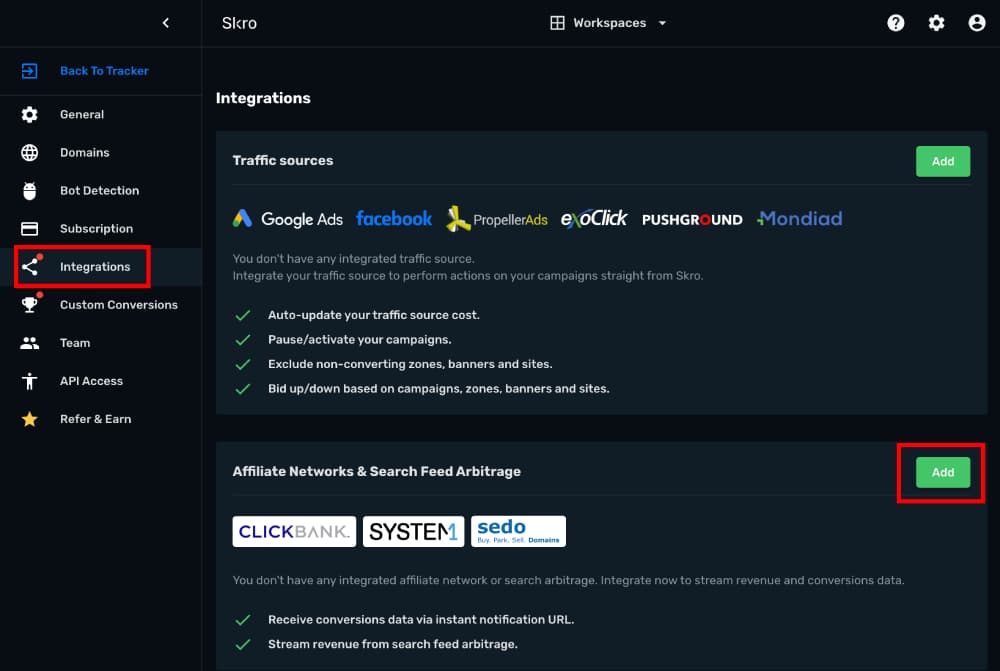
- Log in to your Skro account.
- Navigate to Settings → Integrations.
- Click Add in Affiliate Network & Arbitrages section.
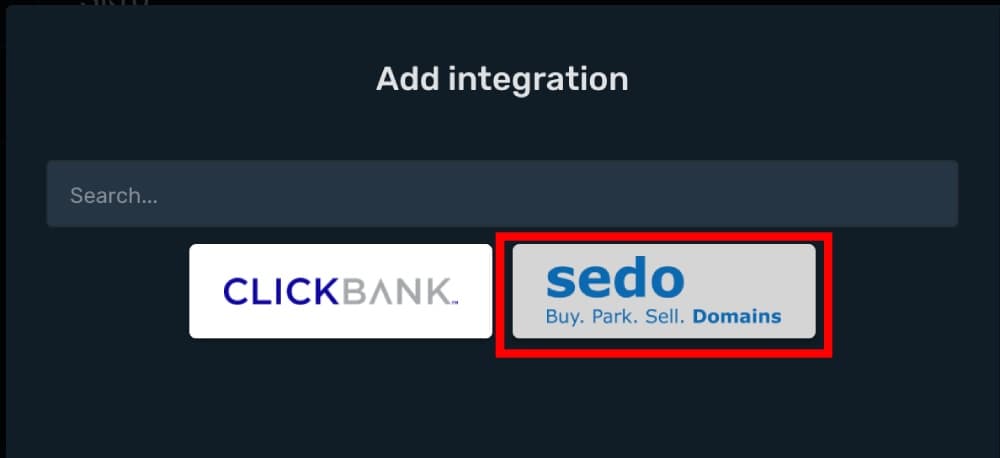
- Click Sedo logo.
- PartnerID and SignKey info you must ask from your Sedo account manager or write to Sedo support.
- Username and Password is your Sedo login credentials.
- Sedo Account Currency is the currency of the parking earnings.
- Custom Conversion Event is optional, but you can see a revenue and conversions info in a different columns in your Skro reports.
- Click ID Param is the parameter what you use in your offer URL to send Skro Click ID.
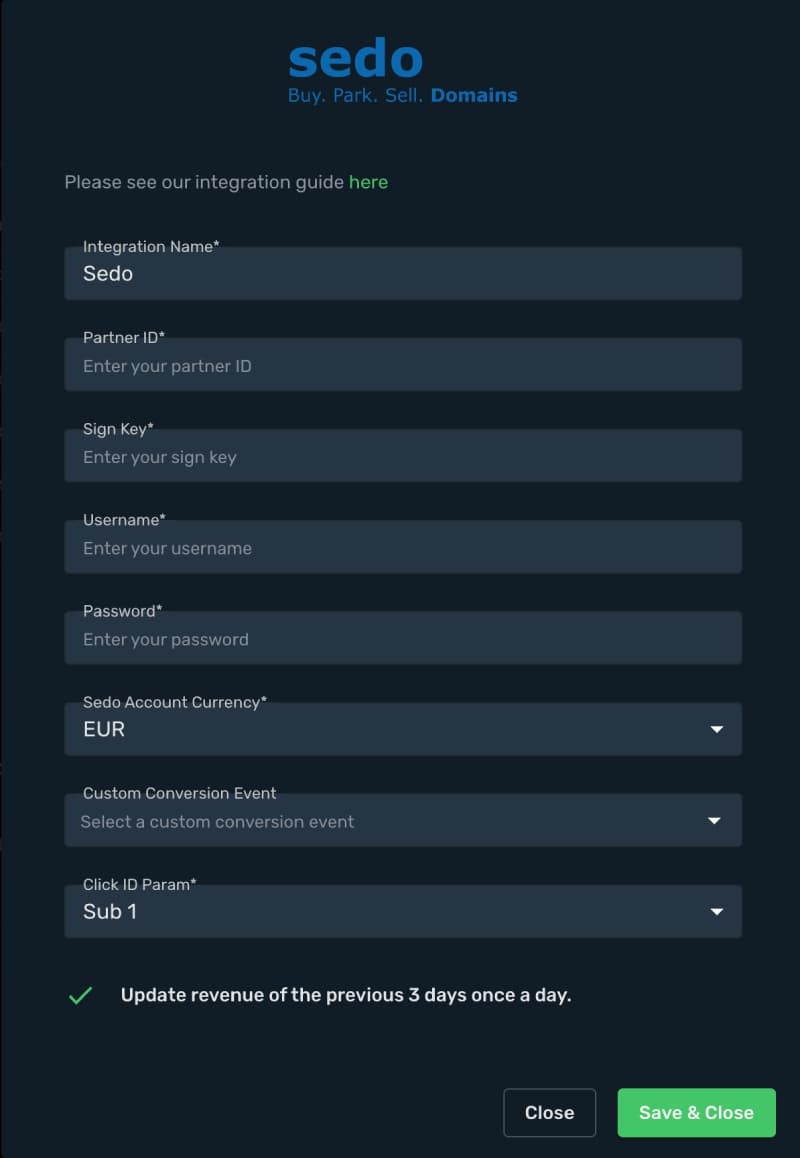
- Complete the form and click Save & Close
Step 1. How to set up Sub ID value with Skro Click ID macro?
- Go to Offers and click Create
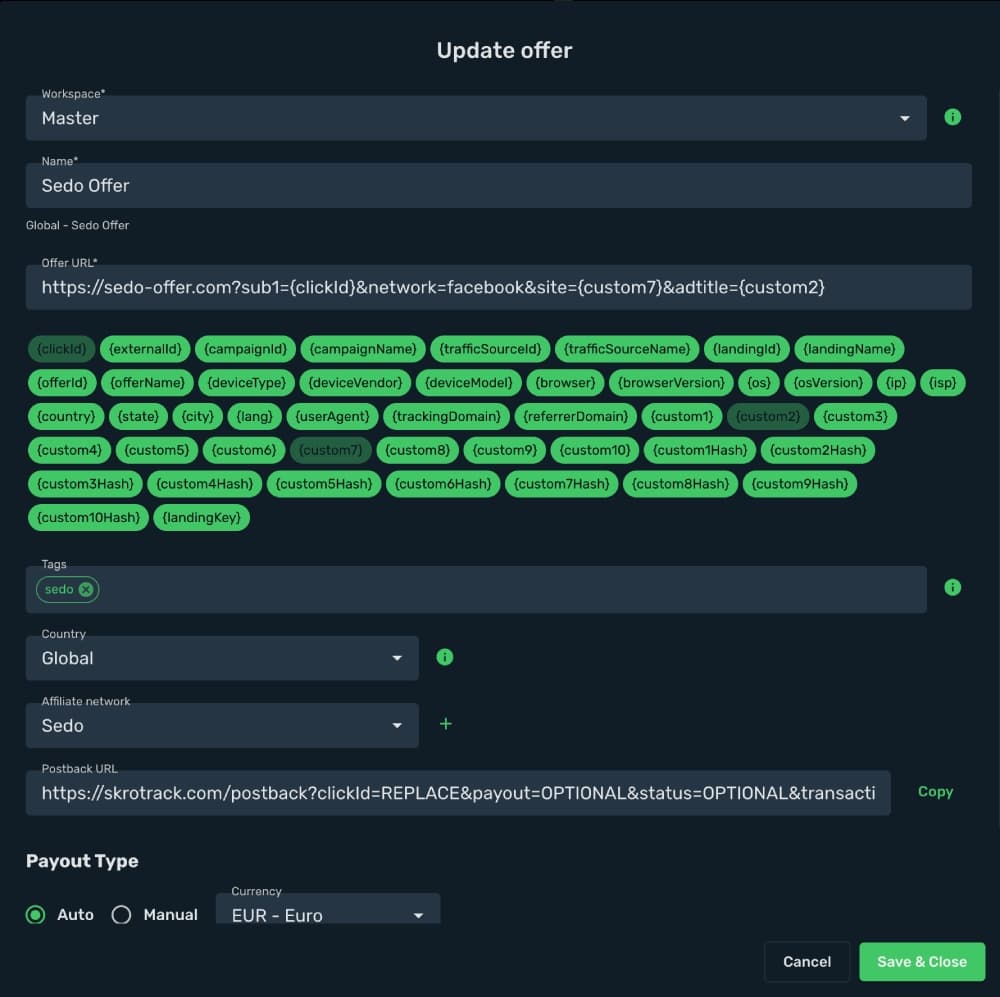
This is an example Sedo URL with correct macros for Facebook traffic source:
https://sedo-offer.com?sub1={clickId}&network=facebook&site={custom7}&adtitle={custom2}
- Click Save & Close
The integration is ready to synchronize earnings data.
Verify the setup
Confirm that the offer identifiers match the values in your integration. After the next revenue synchronization, compare the same date range and currency in Skro and your provider account.
Troubleshooting
If data is missing, check the selected workspace, integration, campaign, and reporting date range. Compare parameter names and macro values with the examples in this guide before repeating the test.
Related guides
Need help with this guide? Contact Skro support.