

Custom bot rules
Create custom bot detection rules in Skro using campaign-specific conditions and choose how matching traffic is handled.
Create Custom Rules to Identify Bot Traffic
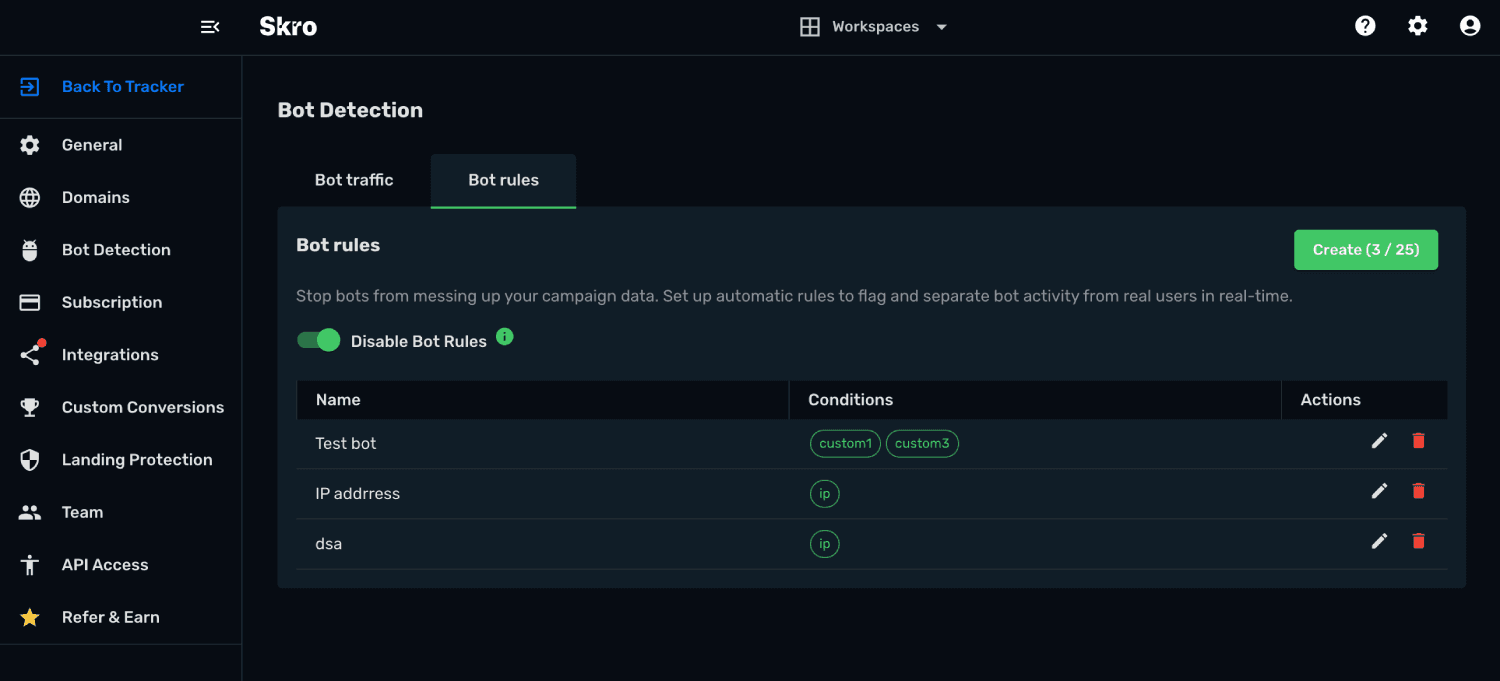
While Skro's Automated Bot Detection system automatically identifies known bots, crawlers, proxies, VPNs, and suspicious networks, Bot Rules provide additional control over how traffic is classified.
Bot Rules allow you to create custom conditions that identify suspicious traffic patterns specific to your campaigns. This helps prevent invalid traffic from contaminating your statistics, improving data accuracy and campaign optimization.
Rules are evaluated in real-time as visitors enter your campaigns.
When a visitor matches a Bot Rule, the traffic is automatically classified as bot traffic and follows the Bot Detection action configured in your account.
Available Rule Conditions
You can create custom bot detection rules using the following visitor attributes:
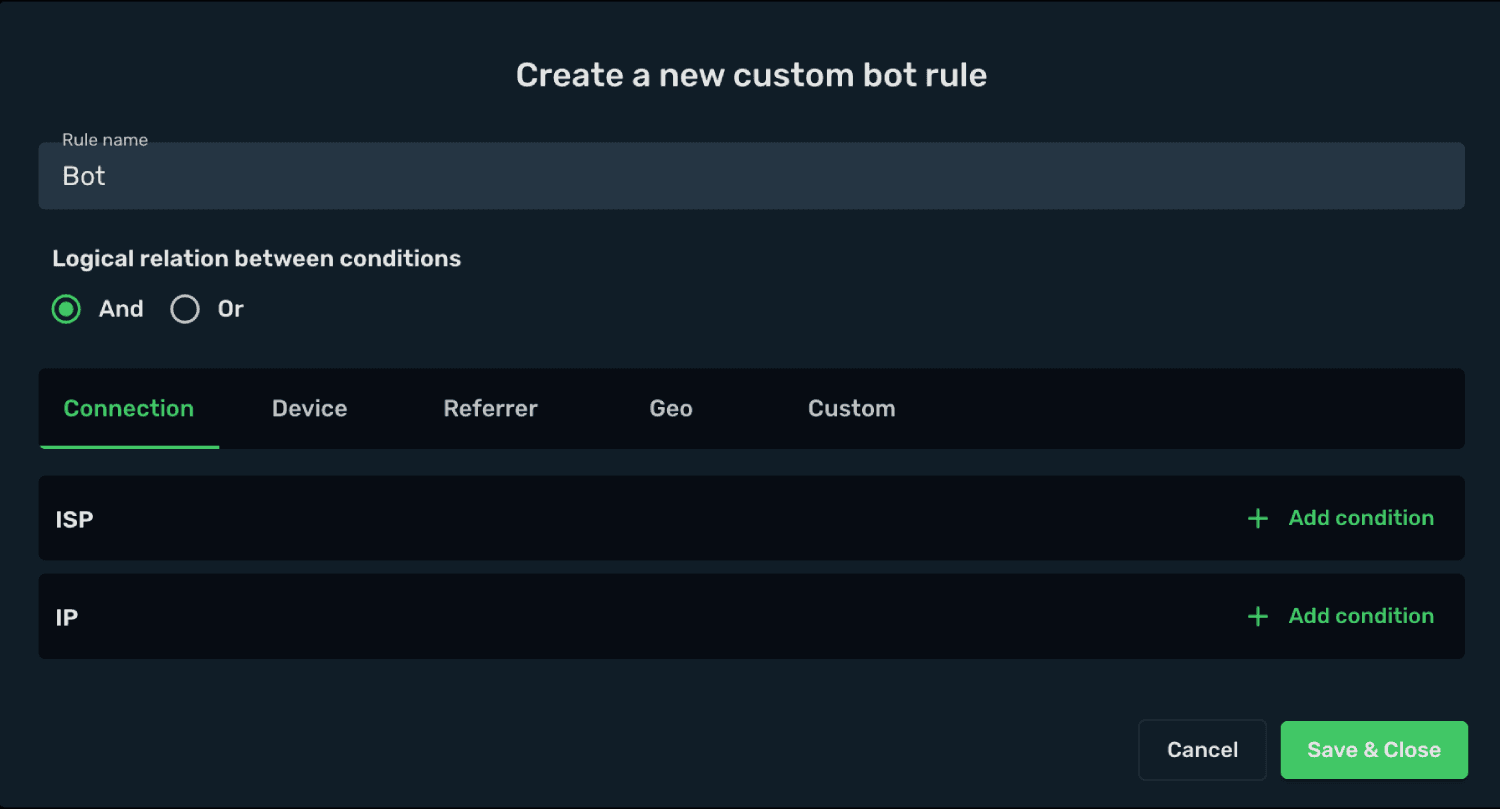
- ISP
- IP Address
- Operating System (OS)
- Browser
- Device Type
- Device Vendor
- Browser Language
- User Agent
- Referrer
- Referrer Domain
- Country
- Custom1
- Custom2
- Custom3
- Custom4
- Custom5
- Custom6
- Custom7
- Custom8
- Custom9
- Custom10
Rule Logic
Multiple conditions can be combined using logical operators.
AND Logic
The visitor must match all conditions in the rule.
Example:
- Country = United States
- Browser = Chrome
- Device Type = Mobile
Result: A visitor is classified as bot traffic only if all three conditions are true.
OR Logic
The visitor must match at least one condition in the rule.
Example:
- ISP = Hosting Provider
- Country = Unknown
- Browser Language = Empty
Result: A visitor is classified as bot traffic if any one of the conditions is true.
Rule Examples
Example 1: Detect Traffic from a Data Center
Condition:
- ISP = DigitalOcean
Logic: OR
Any visitor using the specified hosting provider will be classified as bot traffic.
Example 2: Detect Suspicious Browser Configurations
Conditions:
- Browser Language = Empty
- Referrer Domain = Empty
Logic: AND
Visitors matching both conditions will be classified as bot traffic.
Example 3: Detect Traffic by Country and Device Type
Conditions:
- Country = Example Country
- Device Type = Desktop
Logic: AND
Only visitors matching both conditions will be classified as bot traffic.
Rule Limits
Each account can create up to 25 custom Bot Rules.
This allows you to build highly targeted detection strategies while maintaining optimal system performance.
Best Practices
- Start with broad rules and refine them over time.
- Monitor traffic patterns before creating aggressive rules.
- Use AND logic when you need precise matching.
- Use OR logic when you want to capture a wider range of suspicious traffic.
- Regularly review identified bot traffic to ensure legitimate users are not being flagged.
Benefits of Bot Rules
Custom Bot Rules help you:
- Improve traffic quality
- Maintain accurate reporting
- Reduce invalid traffic
- Protect advertising budgets
- Identify suspicious traffic patterns
- Gain deeper insight into visitor behavior
By combining Automated Bot Detection with custom Bot Rules, you can create a more effective traffic filtering strategy and ensure your campaign data remains clean and reliable.
Related guides
Need help with this guide? Contact Skro support.