

Give your strategy
a routine that runs.
Turn repeated campaign decisions into rules. Use your Skro performance metrics to pause or enable Meta ads, adjust daily budgets, or notify your team when a condition needs attention.
Automation is included on paid plans.
Check every hour during your run window
Example thresholds in ad account currency
- Included on paid plans
- Campaigns, ad sets & ads
- Notification-only mode
Built for your connected Meta ad account

You know the decision. Make it repeatable.
Checking the same campaigns throughout the day takes time. Skro brings your conditions, reporting periods, and chosen actions into the workspace where you already review performance.
Set the conditions
Combine up to five conditions with AND or OR logic. Use cost, revenue, profit, CPA, ROAS, conversions, and supported custom-event metrics.
Choose when to act
Evaluate metrics on your chosen frequency or schedule an action. Set continuous, date-range, or weekly run windows around your workflow.
Keep the limits in your hands
Adjust campaign or ad set daily budgets by a percentage or fixed amount, with a maximum or minimum daily budget. Review action results in the logs.
From rule to result, in one view.
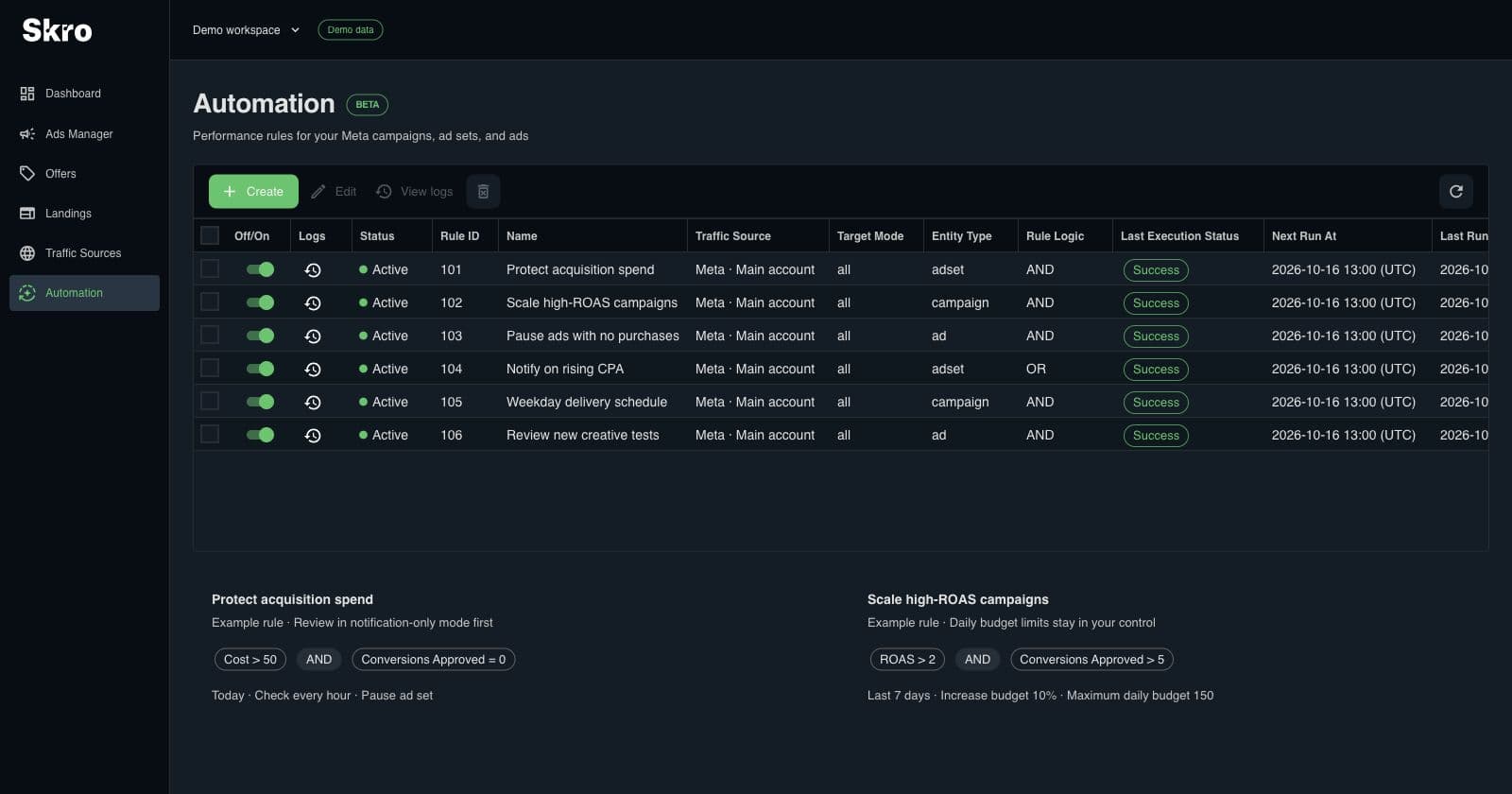
Keep active rules together, see the latest execution status, and open action logs when you need the details. Start with notifications, review the matches, then choose whether to enable changes.
- Pause and enable campaigns, ad sets, or ads
- Increase or decrease campaign and ad set daily budgets
- Inspect successful, failed, and skipped actions
Build a rule around a decision you already make.
- 01
Connect Meta
Use an integrated Meta traffic source and choose your campaign, ad set, or ad scope.
- 02
Define the rule
Choose conditions or a schedule, a reporting period, a frequency, and the action you want.
- 03
Review and refine
Begin with notification-only mode. Check the results and action logs before introducing budget or status changes.
Built to be set up.
Guides to get you there.
Follow the workflow for your platform, then test the full path before relying on campaign results.
Which ad platforms support automation?
Skro automation currently supports Meta Ads. Other connected sources can be tracked and reported on, but are not advertised as supporting this rules engine.
Is automation included in Free?
Automation is included on Starter, Pro, Team, and Enterprise. It is not available on the Free plan. Ads Manager itself is included on every plan.
Can I review a rule without changing ads?
Yes. Select Send notification only and enable in-app notifications. The rule checks its conditions and notifies you without changing campaign status or budgets.
Can a rule change an individual ad’s budget?
Budget actions apply to campaigns and ad sets. Individual ads support status actions and notifications. Choose budget limits in the ad account’s currency.
Make room for the next campaign.
Put a repeatable Meta Ads workflow in place, then follow its results from Skro.