

See the result.
Make the next move.
Put campaign costs, conversion revenue, and the controls to act in one workspace. Compare your traffic sources, drill into performance, and manage supported ad entities from the same reporting view.
Start with the Free plan. No credit card required.
- Included on every plan
- Tabs & tree views
- Connected campaign controls
Connect with the tools in your workflow







Your decisions need more than a spend column.
An ad platform can tell you what you spent. Your conversion source tells you what came back. Skro brings those numbers together so a campaign decision starts with attributed results.
Compare the campaigns that matter
Review visits, conversions, revenue, cost, profit, and ROI. Use traffic-source and workspace filters to focus on the campaigns you manage.
Move from overview to detail
Use reporting tabs or a tree view to explore campaigns, ad sets, ads, and supported placement dimensions. Keep the context as you go deeper.
Act where you analyze
Change status, daily budgets, or bids where the connected integration supports them. Meta supports campaign, ad set, and ad status controls; budget actions apply at the supported levels.
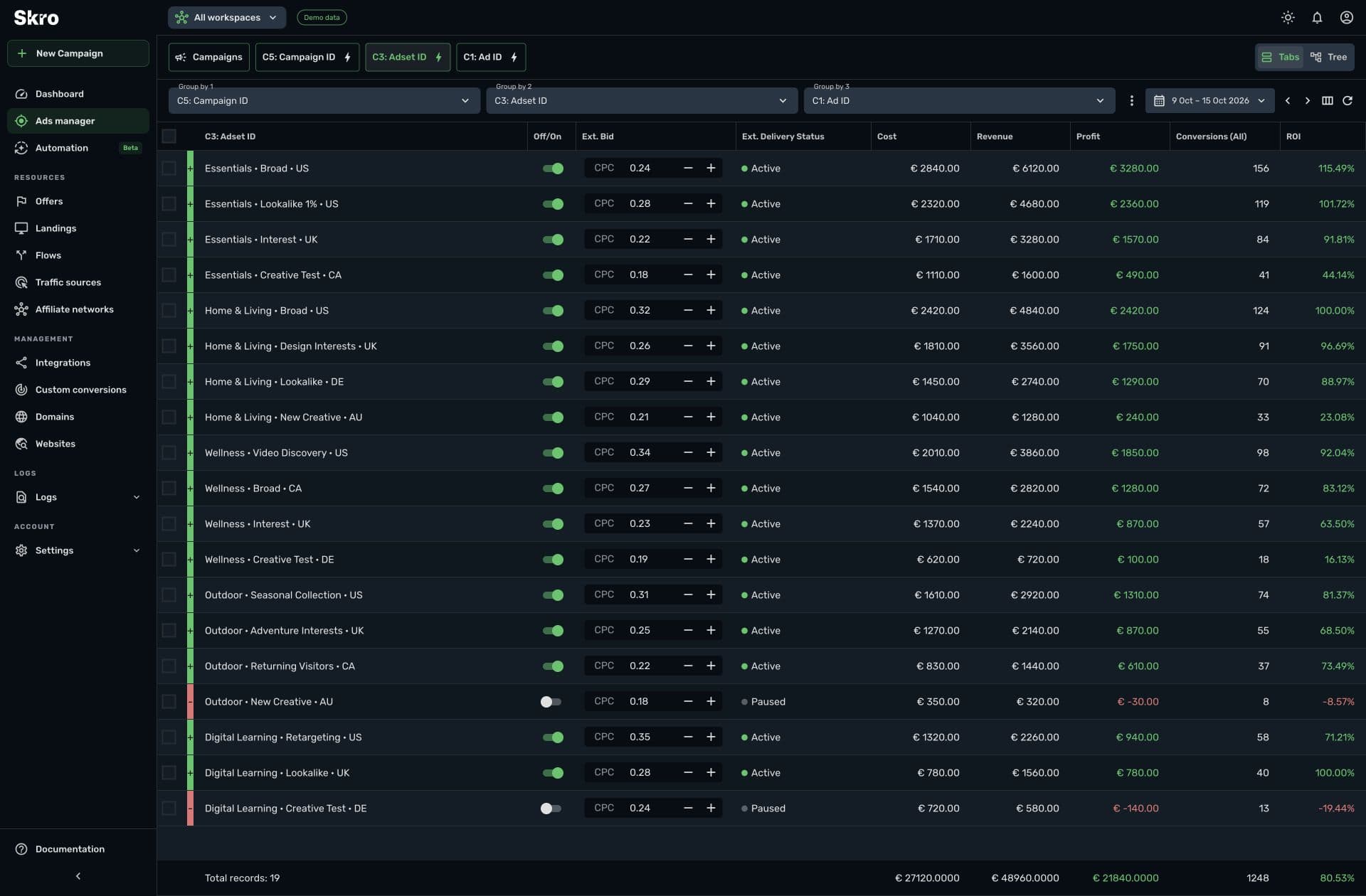
A reporting view you can work from.
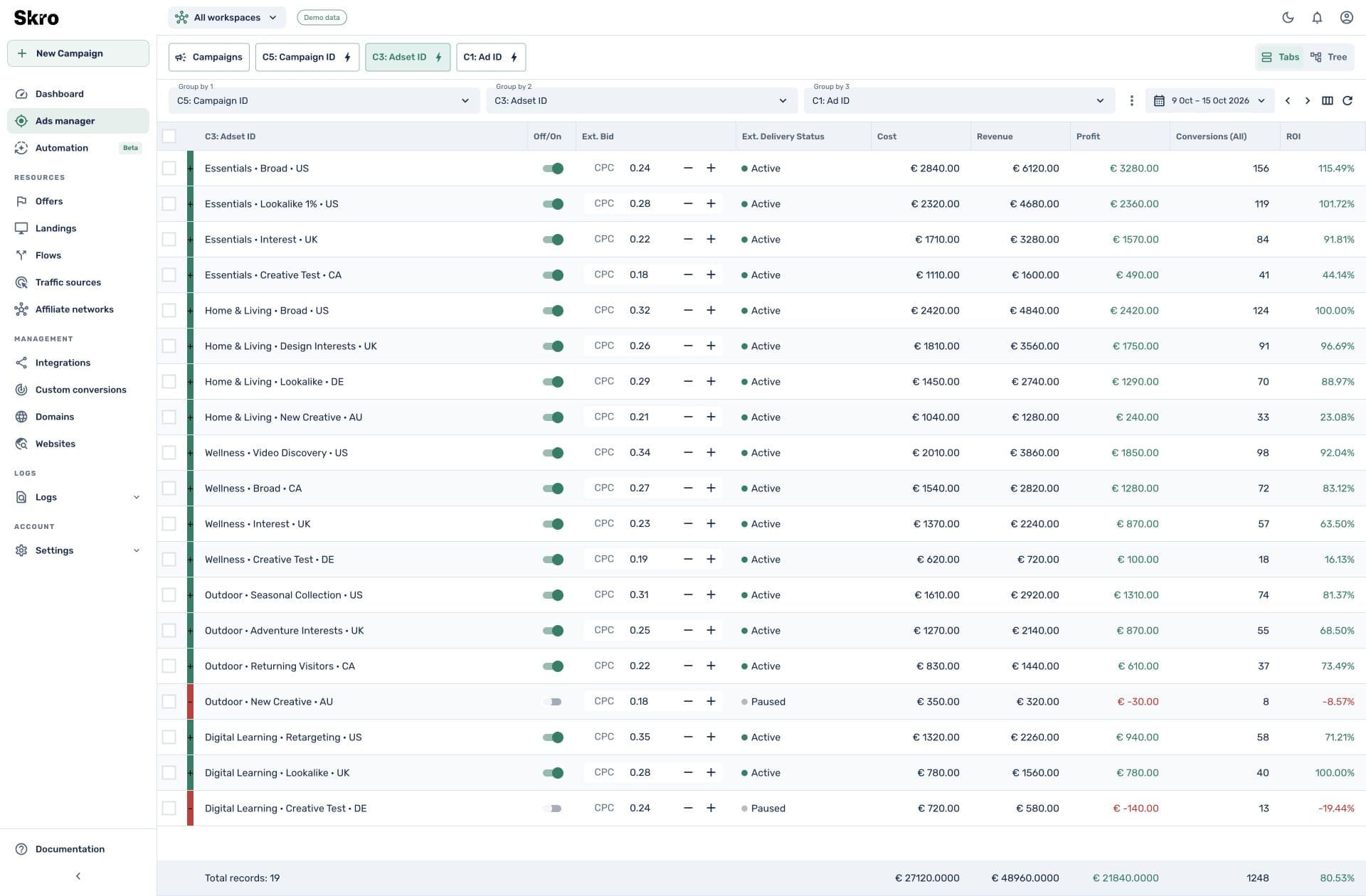
Choose your columns, compare results, and inspect integrated campaign details. The available controls depend on the traffic source, the entity level, and your integration permissions.
- Campaign performance beside attributed conversion revenue
- Status controls and supported budget or bid changes
- Custom columns, tags, filters, and CSV export
Go from connected account to informed action.
- 01
Connect your sources
Configure the ad account integration and map the tracking parameters used by your campaigns.
- 02
Bring in conversions
Use a network postback, store webhook, or supported conversion integration to connect revenue to the click.
- 03
Review, then act
Filter your reporting view, drill down, and use the controls supported by that source and entity.
Built to be set up.
Guides to get you there.
Follow the workflow for your platform, then test the full path before relying on campaign results.
Is Ads Manager included on Free?
Yes. Ads Manager is included on every Skro plan. Event volume, integrations, users, and reporting history vary by plan.
Does every source have the same controls?
No. Campaign control depends on the integration. For example, Meta and TikTok expose supported status and daily-budget actions, while native sources can have their own campaign, placement, or bid controls.
Can I compare multiple campaigns?
Yes. Use traffic-source and workspace filters, select campaigns, and explore their grouped reports using tabs or tree views.
How is Ads Manager different from automation?
Ads Manager lets you review results and make supported changes yourself. Meta automation runs configured conditions or schedules and is included on paid plans.
Give every campaign a clearer next step.
Start with Ads Manager on the Free plan and connect the sources that power your campaigns.