

Big Bang Ads integration
Connect Big Bang Ads to Skro, map click IDs, and configure postbacks to attribute conversions and revenue to your campaigns.
Step 1. Add affiliate network to Skro
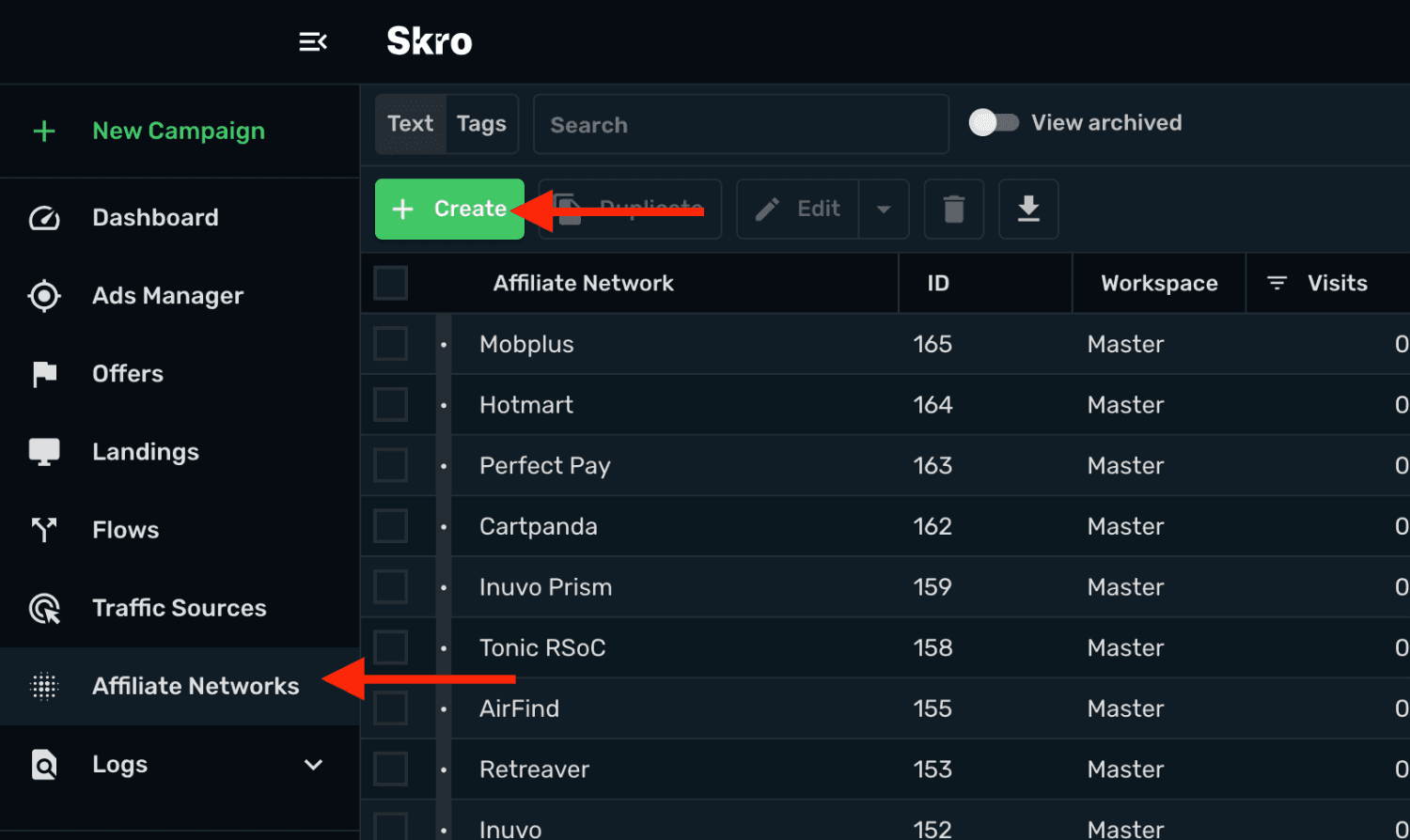
- Go to Affiliate Networks and click Create.
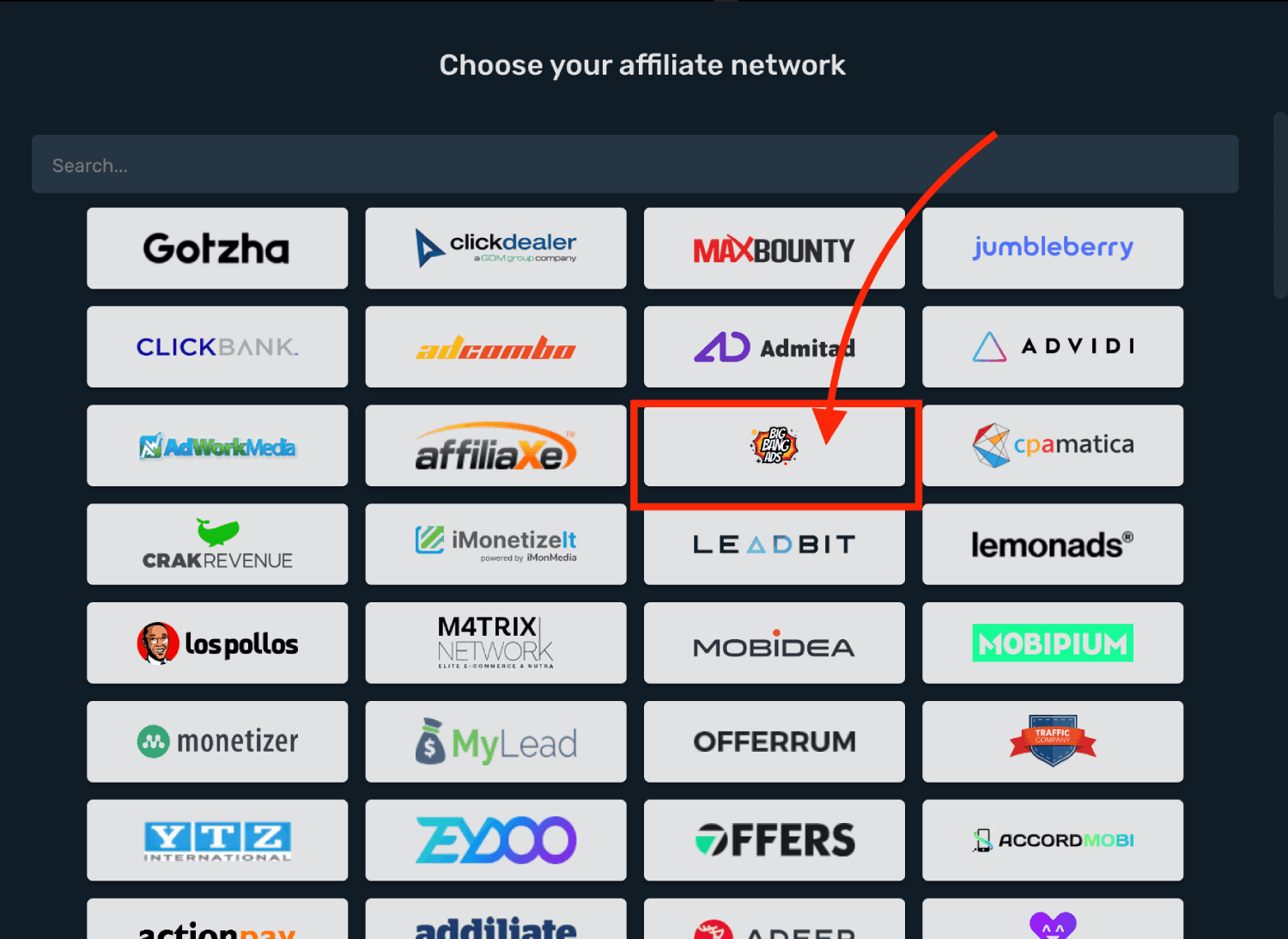
- Search Big Bang Ads and select the Big Bang Ads template.
-
Select your Workspace and Copy postback URL to your clipboard.
-
Click Save & Close.
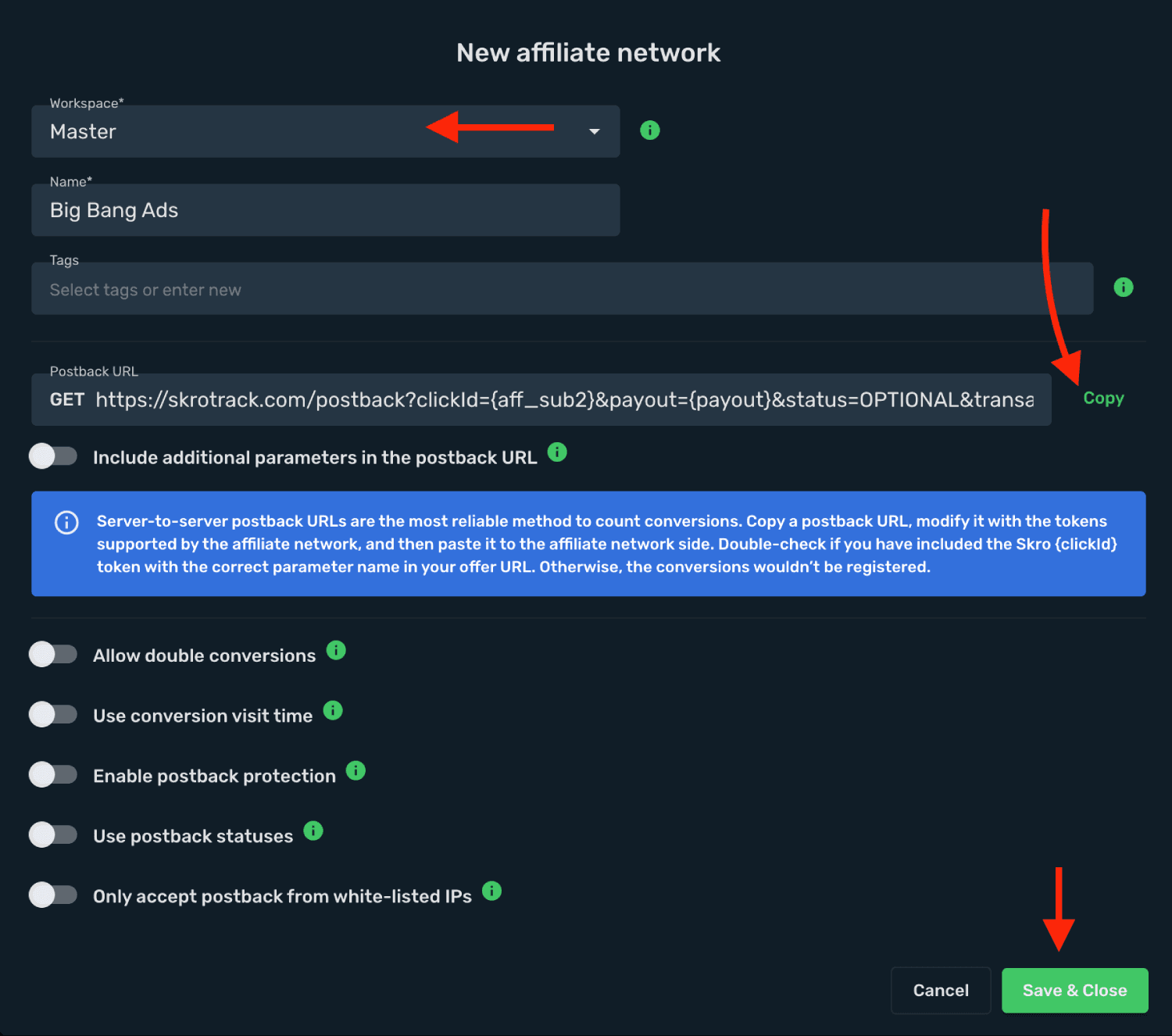
The Big Bang Ads affiliate network is now saved in Skro. Use the copied postback URL in Big Bang Ads in the next step.
Step 2. Setting up a postback URL
-
Log in to Big Bang Ads account.
-
Go to Offers → All Offers.
-
Select your offer from the list and click it and request approval.
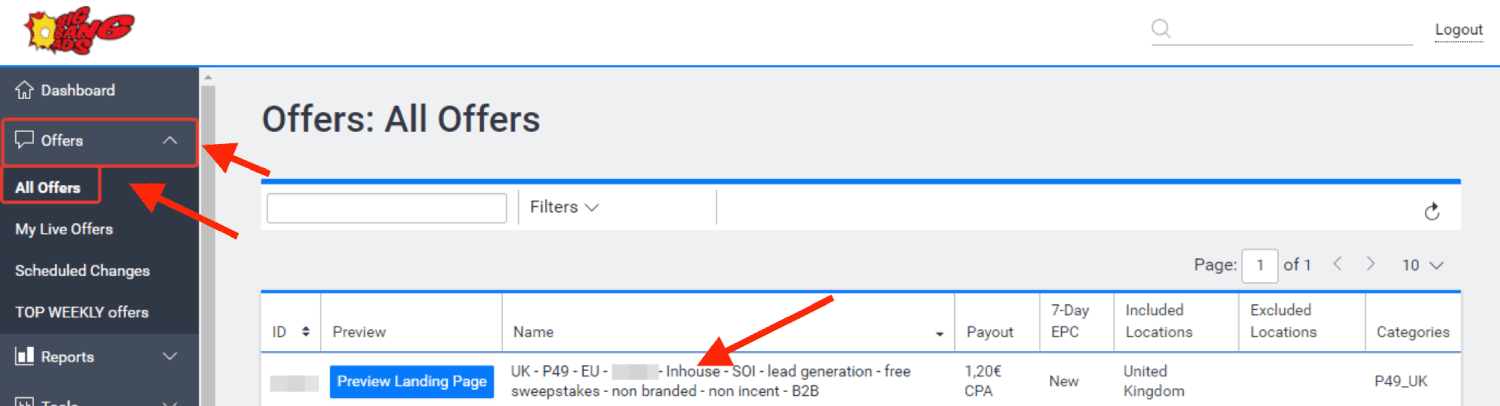
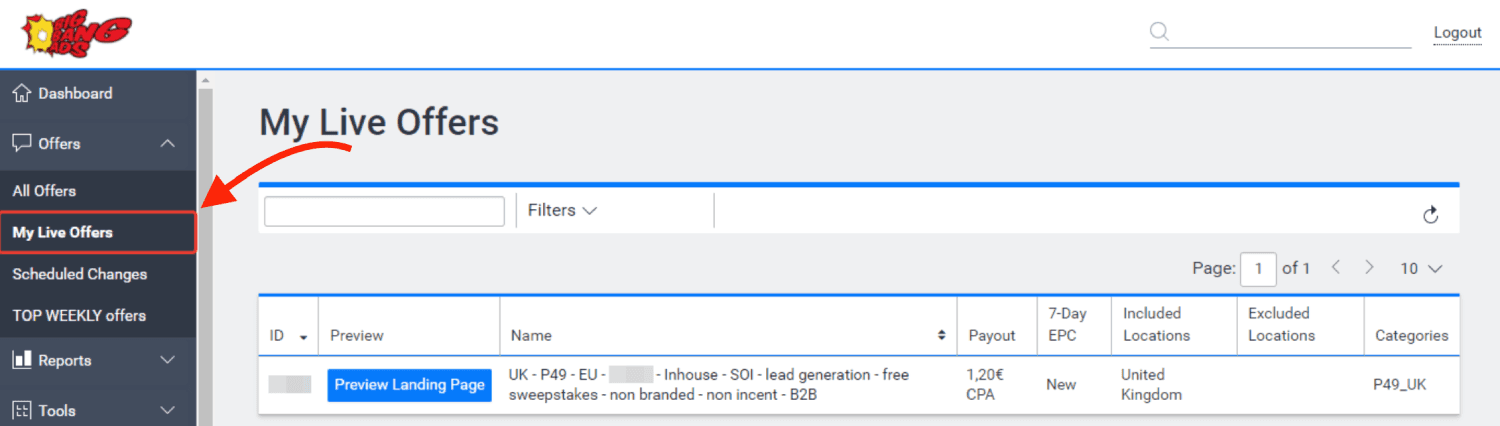
- Once your offers is approved, you can find your offer from My Live Offers page.
-
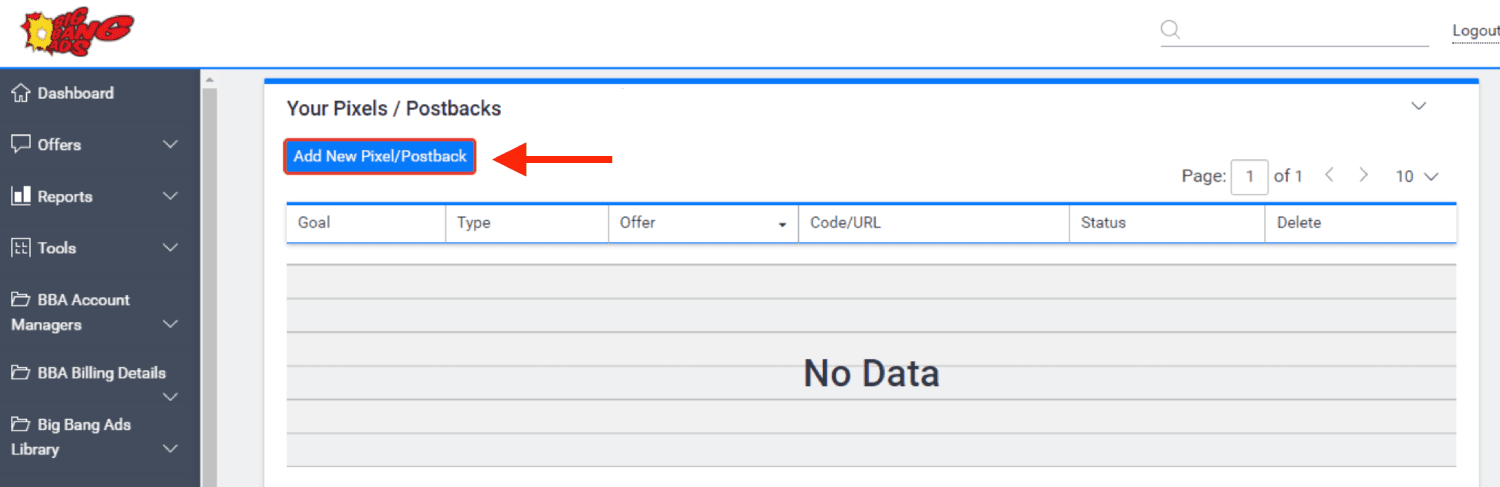
Go to offer settingss and scroll down to Your Pixels / Postbacks section.
-
Click Add New Pixel/Postback.
-
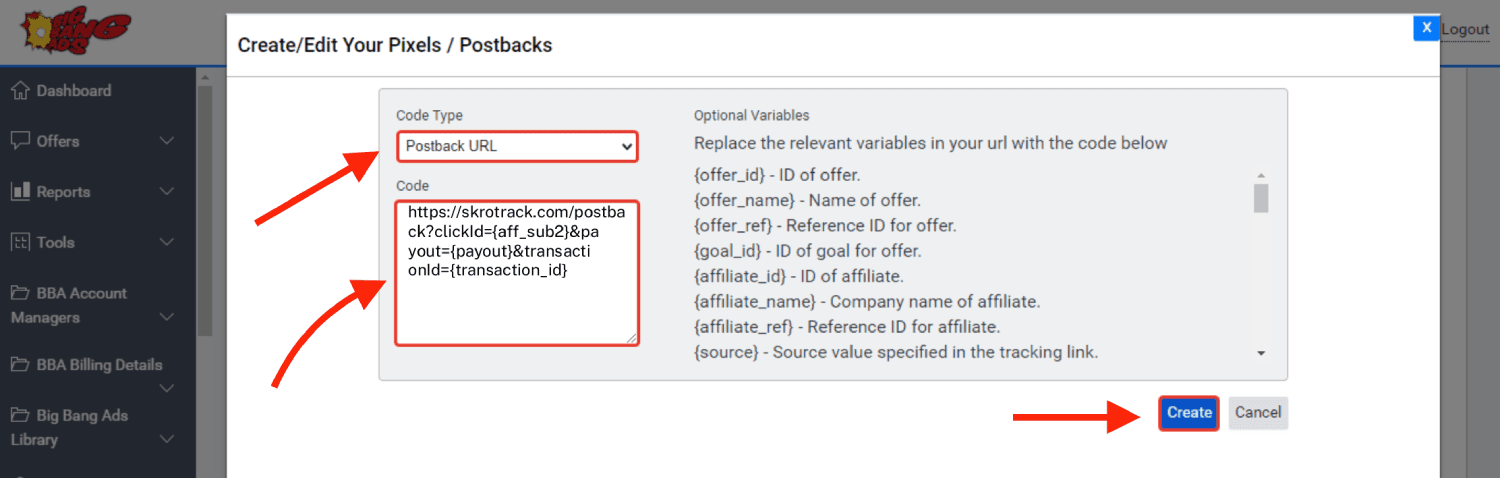
Select Postback URL as the code type.
-
Paste Postback URL in the code field.
-
Click Create.
Global Postback
https://skrotrack.com/postback?clickId={aff_sub2}&payout={payout}&transactionId={transaction_id}
Step 3. Get an offer from Big Bang Ads
-
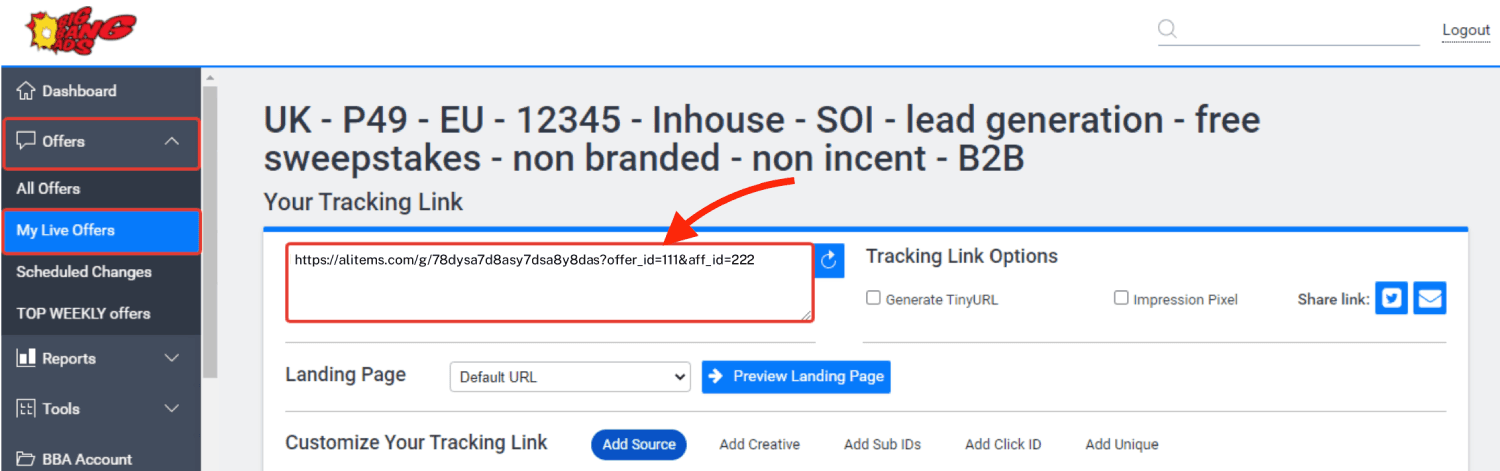
Go to Offers → My Live Offers → Settings.
-
Copy the offer URL from the Your Tracking Link field.
Step 4. Add offer to Skro
-
Go back to Skro and navigate to the Offers and click Create.
-
Choose your workspace.
-
Give a name to your offer.
-
Grab the offer link from Big Bang Ads and add it to Offer URL field and change the macros to this
&aff_sub2={clickId}
{clickId} - The Skro click ID macro for conversion tracking.
Example Offer URL:
https://alitems.com/g/78dysa7d8asy7dsa8y8das?offer_id=111&aff_id=222&aff_sub2={clickId}
- Choose Big Bang Ads from the Affiliate Network select box.
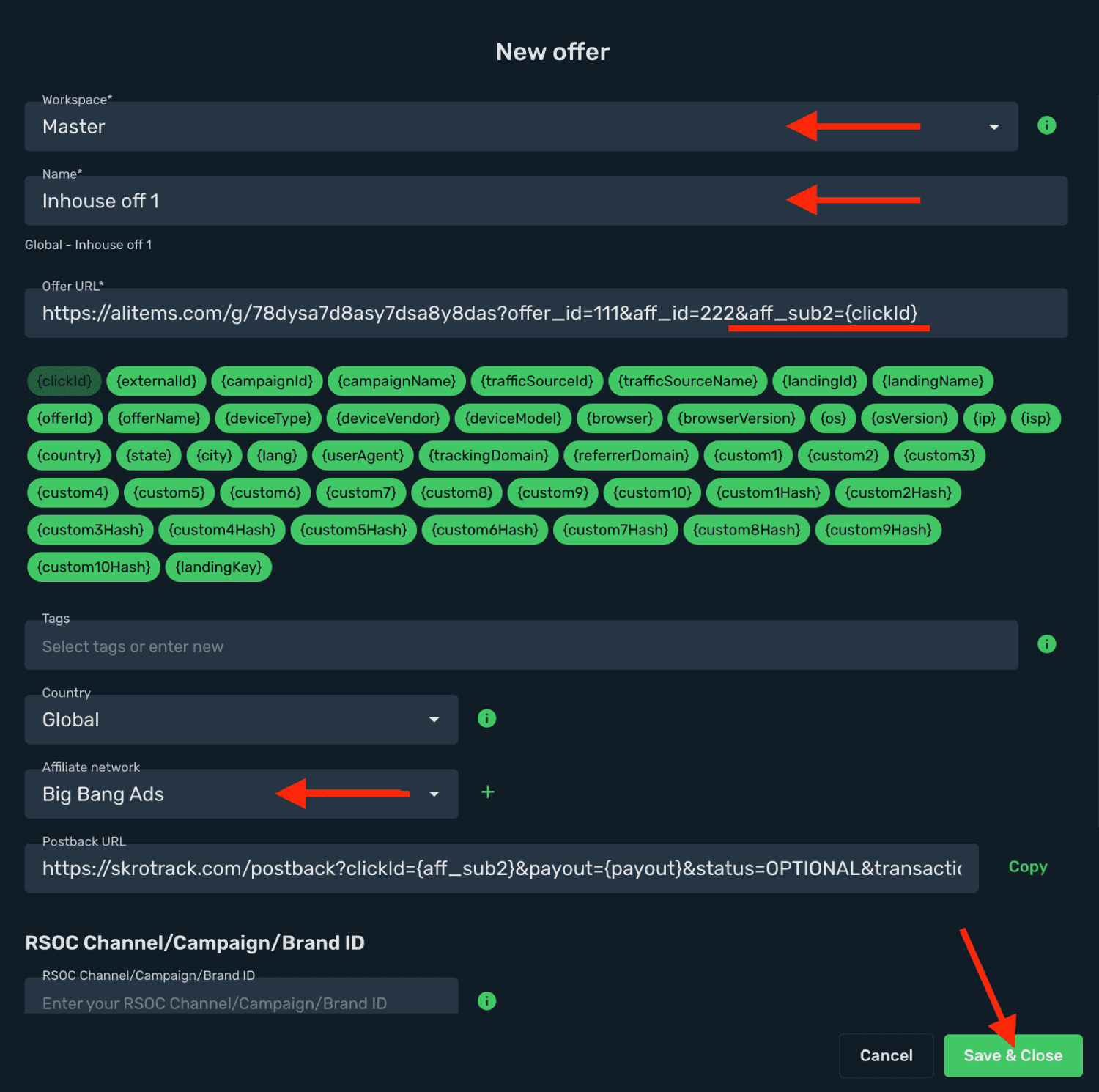
- Click Save & Close.
Step 5. Create a campaign on Skro
- Start with the following guide:
Get started with Facebook integration
Verify the setup
Follow a campaign link and complete a test conversion using your provider’s test workflow. Confirm that the original click ID reaches the provider and is returned to Skro, then check the event and revenue in your campaign report.
Troubleshooting
If data is missing, check the selected workspace, integration, campaign, and reporting date range. Compare parameter names and macro values with the examples in this guide before repeating the test.
Related guides
Need help with this guide? Contact Skro support.