

Know which campaigns
bring valuable players.
Connect operator or affiliate-network callbacks to the original tracking click. Separate registration from first-deposit and other configured events so your reporting reflects the outcomes you choose to measure.
Start with the Free plan. No credit card required.
Separate the stages that matter.
click_7f2a…- Registration & deposit events
- Operator postback workflows
- Campaign & source reporting
Connect with the tools in your workflow
Different events deserve different weight.
A registration and a first deposit tell you different things about a campaign. A single conversion total can hide that distinction. Skro gives each configured event its own reporting definition.
Define your funnel events
Create Registration, FTD, or other custom conversions supported by your operator’s callbacks. Choose which events count toward conversion totals and outgoing postbacks.
Connect operators through postbacks
Pass the Skro click ID as the program’s supported reference and map the return callback’s event, transaction ID, payout, and currency.
Compare performance by source
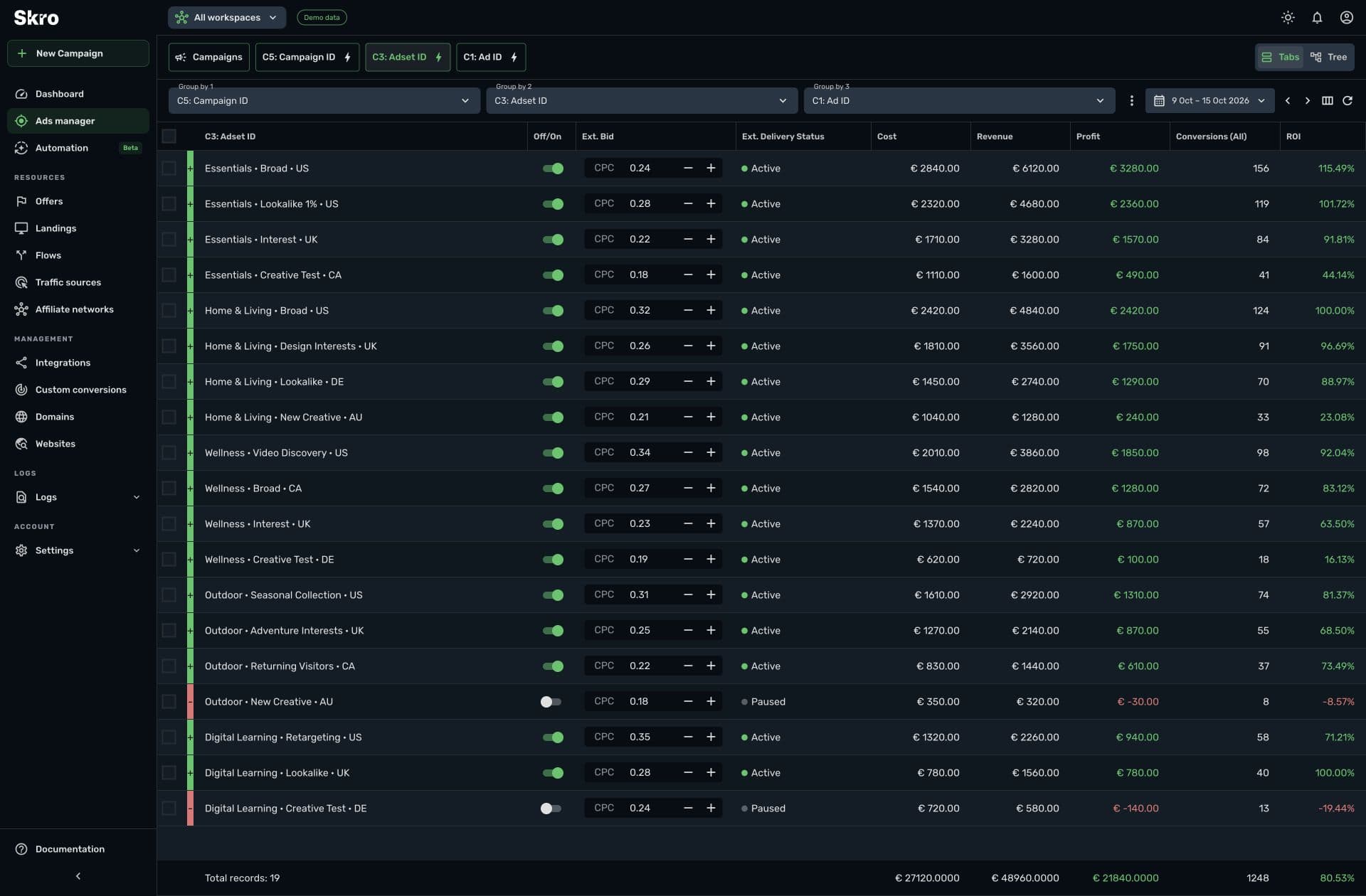
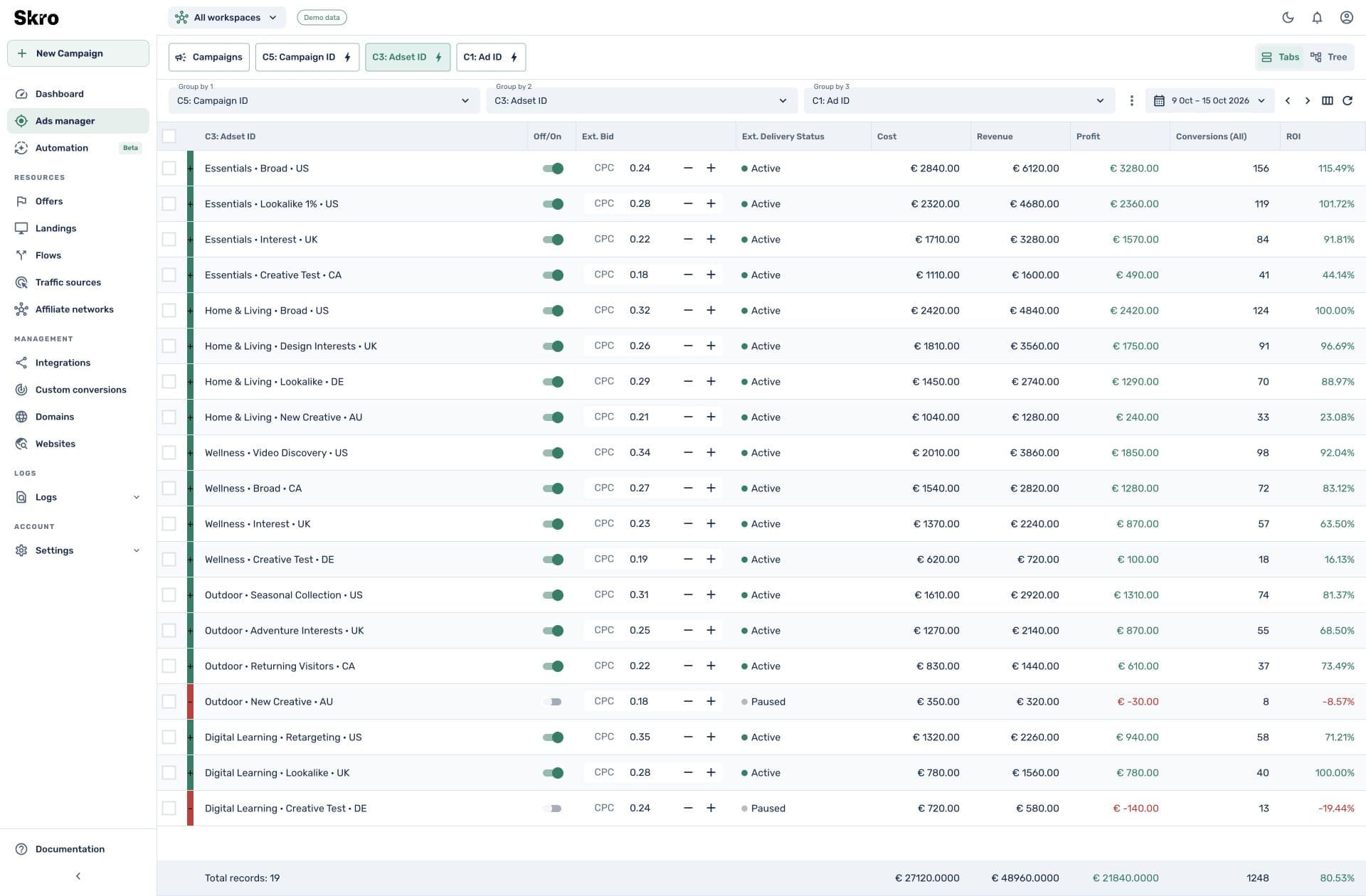
Review event counts and revenue across campaigns, offers, countries, and source parameters. Use the same reporting view to compare acquisition cost with returned payouts.
Evaluate acquisition with the right conversion context.
Use custom event columns to distinguish funnel stages. The event definitions, reporting totals, and callback values stay under your control rather than being fixed to a single conversion label.
- Separate event counts and event revenue
- Configured cost and payout currency handling
- Meta rules can use supported custom-event metrics
Connect the outcomes your operator can return.
- 01
Map the callback
Confirm which reference, event, payout, and transaction fields your operator or network supports.
- 02
Define the events
Create the Skro custom conversions and send test callbacks for each stage.
- 03
Review campaign quality
Compare costs and attributed events using reports, then select the source events and rules appropriate for your setup.
Built to be set up.
Guides to get you there.
Follow the workflow for your platform, then test the full path before relying on campaign results.
Is there a dedicated integration for every operator?
No. Use the operator’s supported click-ID and postback workflow or an available network template. Test the callback fields before relying on campaign reports.
Can registration and FTD use the same click ID?
Yes. Skro custom events allow multiple defined outcomes to be associated with the tracking click. Configure event and transaction references for the operator’s workflow.
Can I send deposit events to ad platforms?
Use supported conversion delivery only where the event, campaign, and destination platform allow it. Configure the correct event mapping and consent data; a tracking connection does not establish ad-platform eligibility.
Can I automate around a custom event?
Meta automation supports available custom-event count and revenue metrics on paid plans. It currently applies to integrated Meta campaigns, ad sets, and ads.
Measure the outcomes that define your campaign.
Connect the operator’s callbacks and build a clear view of registrations, deposits, and attributed revenue.