

Keep the connection
beyond the browser.
Use a Skro click ID to connect a conversion back to its campaign. Server-to-server postbacks return the event from your network, checkout, or backend without relying on a third-party cookie in that callback.
Start with the Free plan. No credit card required.
An ID that connects the journey.
click_7f2a…- Click-ID attribution
- Server-to-server postbacks
- Your own tracking domain
Connect with the tools in your workflow




Make the conversion callback a direct connection.
A browser pixel is not the only way to record a conversion. When your destination retains the click ID, it can send the event and payout directly to Skro after the action happens.
Carry an ID through the funnel
Pass the Skro click ID in the destination URL or the supported checkout field. The receiving system needs to preserve it so its callback can identify the visit.
Return events server to server
Configure a postback or supported webhook to send the click ID, event, transaction ID, and payout. Conversion recording happens through that request.
Use browser tools where they fit
Direct tracking and store scripts can also use first-party cookies or session storage. Choose the documented setup for your funnel rather than assuming every tracking mode is entirely cookie-free.
The same campaign reporting. A different event path.
S2S conversions join your campaign data alongside cost and source parameters. Inspect individual conversion and postback logs when you need to trace an event through the setup.
- A click ID connects the event to the original campaign
- Postbacks can include event name, currency, and transaction ID
- Browser scripts and server callbacks can work together
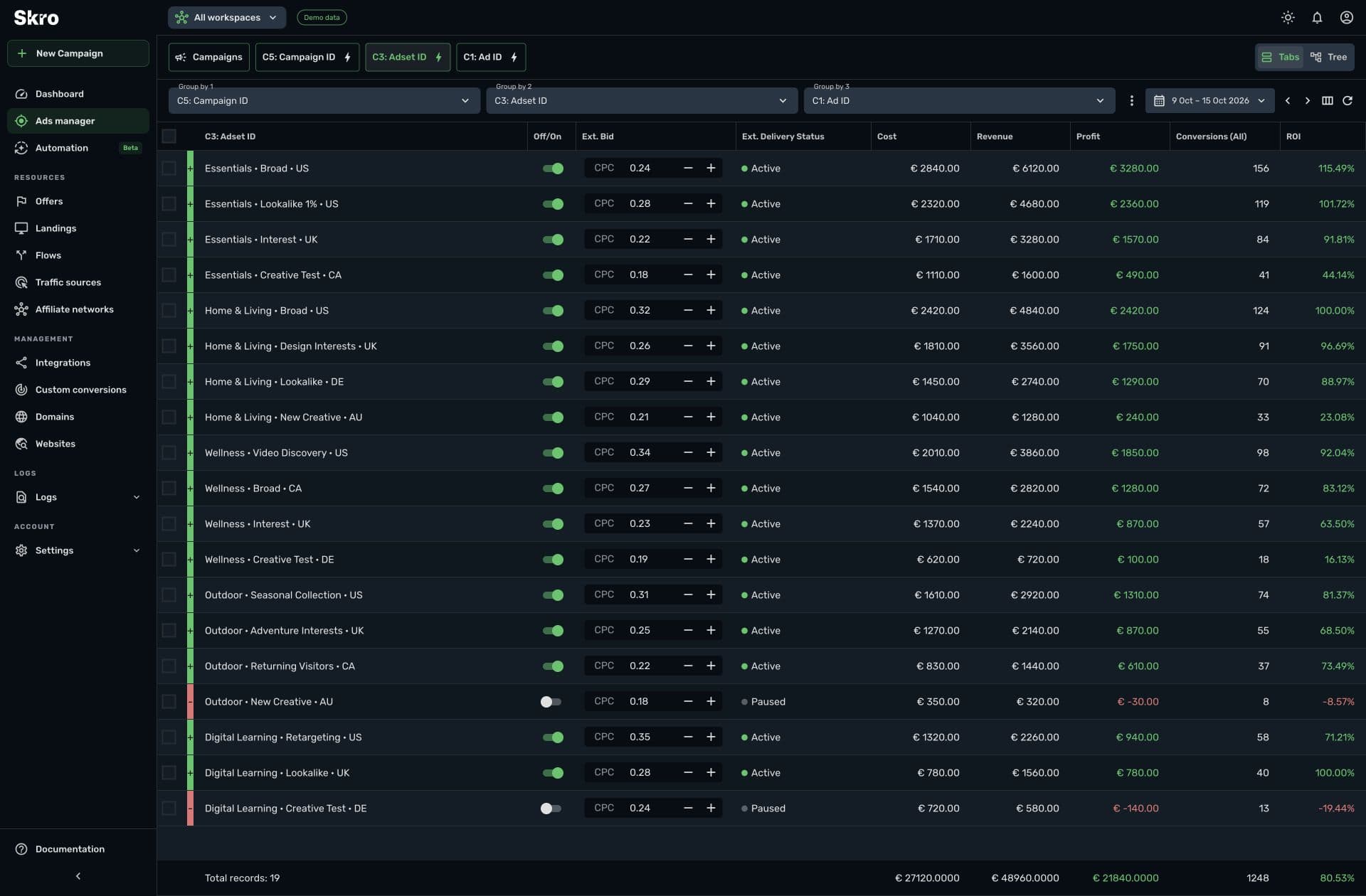
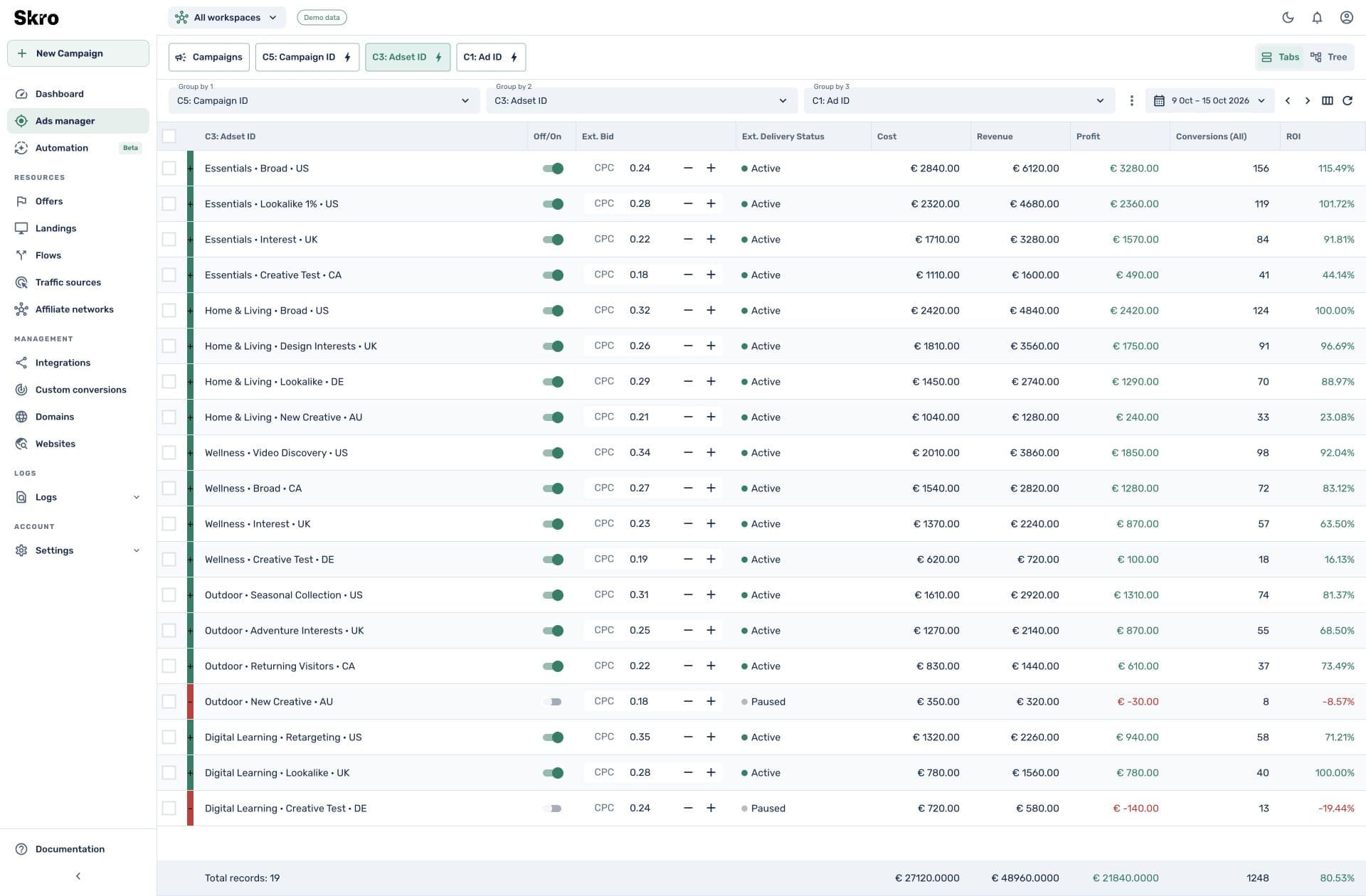
Build a reliable click-ID handoff.
- 01
Track the original visit
Create the campaign and select the correct tracking link or direct setup.
- 02
Store the reference
Make sure the network, checkout, or backend receives and retains the Skro click ID.
- 03
Send and verify the callback
Return a test event through the postback endpoint and check its attribution, payout, and reporting column.
Built to be set up.
Guides to get you there.
Follow the workflow for your platform, then test the full path before relying on campaign results.
Does cookieless mean every Skro script avoids cookies?
No. Click-ID S2S conversion callbacks do not require third-party cookies, but some browser tracking and ecommerce scripts use first-party cookies and session storage.
What if the destination does not keep the click ID?
The standard S2S workflow needs the original Skro click ID. Follow the destination’s integration guide and test that it survives the handoff before sending paid traffic.
Is this a consent bypass?
No. Server-side tracking does not remove consent requirements. Configure the applicable consent and source parameters for your tracking setup.
Can I use this with affiliate offers?
Yes, when the network supports passing the click ID and returning it in a postback. Skro includes setup guides and templates for many affiliate networks.
Give conversions a direct route back.
Set up the click-ID handoff once, then verify events where you already review campaign performance.